
ShubhLink AI uses credits. Standard uses free credits, which refill, so you can make invitations without paying anything. Premium uses credits you buy, and offers higher quality levels; you choose the quality, and pay by it. Making a design and asking the chat for changes use credits. Asking the chat a question is free, and editing your invitation by hand in the editor is free. This guide explains each part, with tips to make every credit count.
Standard and Premium
The studio shows how many free credits you have and when they next refill. Free credits don't pile up: each refill brings you back to the full allowance, so use them freely.
What uses credits
- Making a design from your description.
- Changes made in the chat, such as “make the background softer” or “add a Ganesh motif at the top”.
- Repainting part of a page in Premium, where you paint over an area and describe what should change there.
The cost depends on what you make and, in Premium, the quality you choose. The ShubhLink AI page lists what each option costs.
What's free
- Asking the chat a question, such as “what colours suit a haldi?” or “how should I word the RSVP?”.
- Editing by hand in the editor: changing text, moving it, changing fonts and sizes.
- Sharing your invitation on WhatsApp and anywhere else.
Small fixes by hand
For a spelling, a date or a name, use the editor rather than the chat. It's exact, it's quick, and it doesn't use credits.
Undo and credits
Every change you apply can be undone, so you're never stuck with a result you don't like. Undo doesn't return the credits the change used, though, so it's worth asking for one clear change at a time. If a design can't be made because of an error on our side, the credits for it are returned.
Making every credit count
- Write a full description the first time: the occasion, the names, the date, the place, the colours, the language and the mood. A clear first description saves rounds of changes. The prompt tips guide shows how.
- Add a reference image if you have a design you like; it tells the AI more than adjectives can. The reference image guide explains how.
- Ask for one change at a time, clearly: “make the names larger” rather than “make it better”.
- Ask questions before changes. If you're unsure what to ask for, ask the chat for ideas first; questions are free.
- Fix text by hand in the editor.
- Choose the shape first. Changing from Story to Square later means a new design.
When Premium is worth it
Standard is enough for most everyday invitations: a birthday, a puja, a get-together. Premium is worth considering for the invitations that matter most to a family, such as a wedding kankotri, a 50th anniversary, or a design you'll also print, where the higher quality levels and the ability to repaint part of a page make a visible difference. Many families use Standard for the smaller functions and Premium for the main invitation.
An example
Here's how one made-up family might use credits. For the haldi and the mehndi, Priya uses Standard with her free credits: she writes a clear description for each, asks the chat for one or two changes, and fixes the text by hand in the editor. For the main wedding invitation, which she'll also print for the elders, she buys a pack and uses Premium at a higher quality, repainting the area behind the names once to make it calmer. Her questions to the chat along the way, about colours and wording, cost nothing.
Buying credits
Premium credits come in packs of different sizes. You buy a pack, the credits are added to your account, and you choose the quality for each design. The ShubhLink AI page shows the current packs and prices. Your account shows your credits and what each one was spent on, so there are no surprises.
Current details
Prices, packs and allowances can change. The ShubhLink AI page and the studio always show the current details.
Templates cost nothing to try
If you'd rather not use credits at all, ShubhLink's ready-made templates are another way to make an invitation: choose a design, fill in your details, and share it. Many families start with a template and use ShubhLink AI only when they want something that isn't in the library. The AI or template guide helps you decide.
Related guides
The AI invitation maker guide covers the basics, and the chat editing guide explains how to ask for changes. More are under ShubhLink AI.
Questions people ask
Is ShubhLink AI free?
Standard uses free credits, which refill, so you can make invitations without paying. Premium uses purchased credits and offers higher quality levels.
What uses ShubhLink AI credits?
Making a design, changes made in the chat, and repainting part of a page in Premium. Questions and editing by hand are free.
Does undo give credits back?
No. Undo restores the earlier design, but the credits the change used aren't returned. Credits are returned if a design fails because of an error on our side.
Do free credits carry over?
No. Each refill brings you back to the full free allowance.
Ready-made invitation designs
Open any design in the editor, put in your own names, dates and wording, and share the invitation link on WhatsApp.
 Royal Palace Journey Cinematic Wedding Invitation₹3,499inc. GST
 Himalayan Temple Engagement Invitation₹1,499inc. GST
 Godh Bharai Baby Shower Invitation₹499inc. GST
 Beach Birthday Invitation₹499inc. GST
 Haldi Ceremony Invitation₹499inc. GST
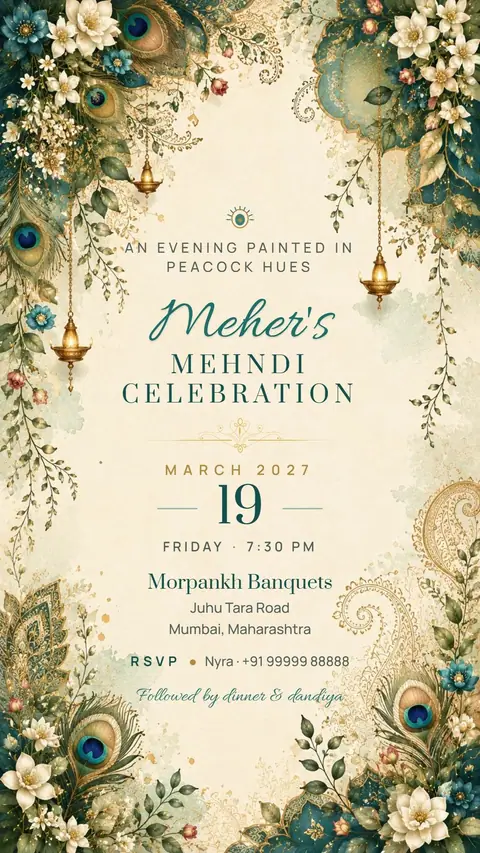 Peacock Teal Mehndi Invitation₹499inc. GST
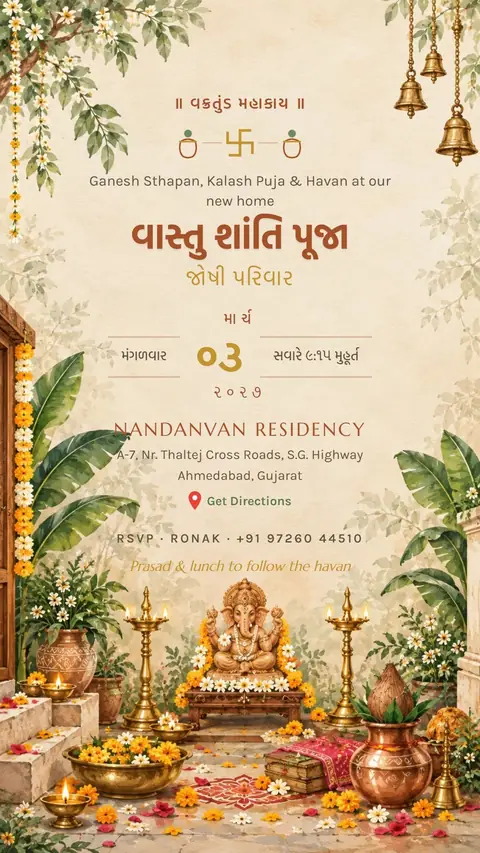 Ganesh Kalash Vastu Puja Invitation₹499inc. GST
 Shubh Labh Kanku Pagla Invitation₹499inc. GST
Filed under ShubhLink AI
Written by ShubhLink Editorial Team
The team behind ShubhLink's invitation templates and ShubhLink AI. We write down what families ask us most, and check each guide before it goes live.