
When you describe an invitation to ShubhLink AI, your description is sent to an AI provider to make the design. Standard runs on Cloudflare Workers AI and Premium on OpenAI, and neither trains its models on your requests. You can delete your prompt history at any time from Credits and usage in AI Studio. Your invitation link is seen by the people you send it to, and ShubhLink asks search engines not to crawl invitation pages. This guide explains each point, with tips for sharing safely.
Who makes your design
Your description, and any image you add, is sent to the provider for the mode you choose so it can make the design. The ShubhLink AI page lists the providers, and the privacy policy explains how ShubhLink handles your information more broadly.
Your prompt history
ShubhLink AI keeps your descriptions so you can see what you asked for and come back to a design. You can delete your prompt history at any time from Credits and usage in AI Studio. Your invitations themselves stay in your account until you remove them.
Safety checks
Every description is checked, and requests for hateful, violent or sexual content are refused. This keeps the studio safe for families, and it means an invitation can't be used to make something harmful in ShubhLink's name.
Who sees your invitation
An invitation is shared by link. People who have the link can open it, and anyone they forward it to can open it too. ShubhLink asks search engines not to crawl invitation pages, so they aren't meant to appear in search results. But a link is only as private as the people who receive it, and wedding invitations travel far on WhatsApp.
Links get forwarded
Treat any invitation link as something that may be forwarded beyond the people you sent it to. Don't put details on an invitation that you wouldn't want a stranger to see.
What to keep off an invitation
- Your full home address, if the event is elsewhere. Give the venue's address instead.
- Phone numbers other than a contact for the event, and only with that person's agreement.
- Details about when your home will be empty, such as a destination wedding date with your home address.
- Children's photos and school names, for invitations that will be shared widely.
- Identity documents, even as a photo in the background.
Images you add
If you add a photo to ShubhLink AI, for example to show a couple's picture on the first page, it's used to make your design. Only add photos you have the right to use, with the permission of the people in them. For an invitation that will be forwarded widely, choose a photo everyone is comfortable sharing. The reference image guide explains how images are used.
Children's invitations
Invitations for a child's birthday or naming ceremony travel among parents' groups and families. Think about what you share: a first name and a photo are usually fine for friends and family, but a child's school, full name and home address together are more than most guests need. For a party at home, share the address privately with those attending rather than on the invitation itself.
Payments
If you buy Premium credits, the payment is processed by ShubhLink's payment partner, Razorpay, as the privacy policy explains. Your credit purchases and how they were spent appear in your account.
Guests' information
If you collect RSVPs, guests share their names and replies with you. Use them only for the event, and don't share the guest list publicly. When you send messages to many guests, use a broadcast list rather than a large group, so guests don't see each other's numbers; the broadcast list guide shows how.
Tips for sharing safely
- Send the link personally, or in a broadcast list, rather than posting it publicly.
- Ask close family to share it privately rather than in large public groups.
- Keep personal details to what guests need to attend.
- Delete your prompt history when you're done, if you'd prefer not to keep it.
Read it as a stranger
Before you share, open the invitation on your phone and read it as a stranger would. If there's anything you wouldn't want a stranger to know, take it out.
Questions
If you have a question about your data, the privacy policy explains how to contact ShubhLink. More guides on ShubhLink AI are under ShubhLink AI.
Questions people ask
Does ShubhLink AI train on my descriptions?
No. Standard runs on Cloudflare Workers AI and Premium on OpenAI, and neither trains its models on your requests.
Can I delete my ShubhLink AI prompt history?
Yes, at any time, from Credits and usage in AI Studio.
Who can see my invitation?
People who have the link, and anyone they forward it to. ShubhLink asks search engines not to crawl invitation pages.
What should I not put on an invitation?
Your home address if the event is elsewhere, extra phone numbers, details of when your home will be empty, and identity documents.
Are images I add to ShubhLink AI used to train models?
No. Images you add are sent with your description to the provider for the mode you choose to make your design, and neither provider trains its models on your requests.
Ready-made invitation designs
Open any design in the editor, put in your own names, dates and wording, and share the invitation link on WhatsApp.
 Royal Palace Journey Cinematic Wedding Invitation₹3,499inc. GST
 Himalayan Temple Engagement Invitation₹1,499inc. GST
 Godh Bharai Baby Shower Invitation₹499inc. GST
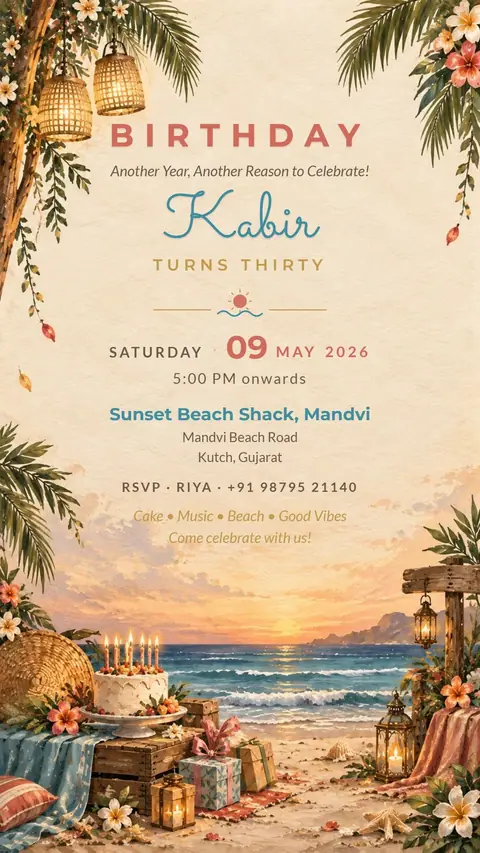 Beach Birthday Invitation₹499inc. GST
 Haldi Ceremony Invitation₹499inc. GST
 Peacock Teal Mehndi Invitation₹499inc. GST
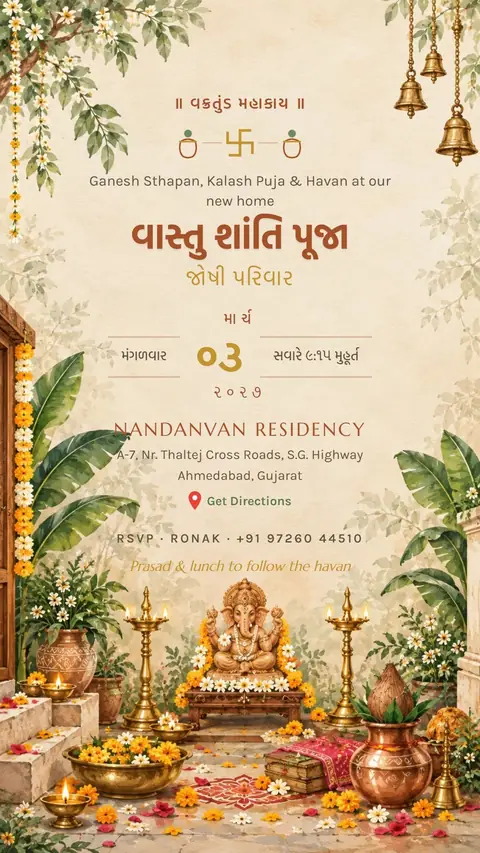 Ganesh Kalash Vastu Puja Invitation₹499inc. GST
 Shubh Labh Kanku Pagla Invitation₹499inc. GST
Filed under ShubhLink AI
Written by ShubhLink Editorial Team
The team behind ShubhLink's invitation templates and ShubhLink AI. We write down what families ask us most, and check each guide before it goes live.