
A digital invitation link can be opened by anyone who has it, and links travel: a cousin forwards it to a family group, a friend shares it with a colleague. Most of the time that's harmless, but it's worth sharing thoughtfully. Send links personally or by broadcast list rather than posting them publicly, keep personal details off the invitation, ask close family not to forward it to large groups, and plan for the occasional uninvited guest at large events. Practical steps follow.
How links spread
A link sent to one person can reach dozens. A relative forwards it to a society group so neighbours know about the wedding. A friend posts it on a status. Someone screenshots it for a group. None of this is malicious, but it means an invitation can be seen by people you've never met. ShubhLink asks search engines not to crawl invitation pages, so they aren't meant to appear in search results, but forwarding is in guests' hands.
What to keep off an invitation
A destination wedding invitation that gives your home address and the dates you'll be away tells a stranger when your home is empty. Keep the two apart.
Sharing thoughtfully
- Send personally or by broadcast list, so guests don't see each other's numbers and the link isn't in a large group. The broadcast list guide shows how.
- Don't post the link publicly on social media or status. Share a photo of the design instead, without the link.
- Ask close family to send it privately to the people on their list, rather than forwarding to big groups.
- Use separate versions for different guest lists, so a reception invitation doesn't reveal the private functions.
- Add a gentle line if you'd like: “This invitation is for you and your family; please don't forward it.”
Gatecrashers at big events
Large Indian weddings sometimes attract uninvited guests, especially at receptions in big halls. A few simple steps help without making invited guests feel checked. Have family members you trust at the entrance who know the guests by face. Use a guest list for the reception if the venue is large, managed quietly by the hall's staff or a relative. Keep the gift table supervised, and gifts, envelopes and jewellery in the care of one trusted person.
Watch the gifts
Keep the envelope box and jewellery with one trusted family member at all times. Theft at weddings, often by people posing as guests, is a real risk at large events.
Society and community groups
Many families announce a wedding in their housing society or community group, which is a lovely way to share news with neighbours. If you do, share the news, a photo of the design or the reception details you'd like neighbours to have, rather than the full invitation link with every function. Neighbours you'd like at the reception can then receive the link personally.
Children's events
For a child's birthday, naming ceremony or school-friends party, keep the invitation especially private. Send it to parents directly, use a first name only, keep the school off the invitation, and share the home address only with those who've confirmed. For an online party, share the video link privately and use a waiting room or a password.
RSVPs and guest information
When guests reply, they share names, numbers and sometimes dietary needs. Use this information only for the event, keep the guest list private, and don't share it in large groups. After the event, there's no need to keep it beyond your thank-you calls.
If a link has gone too far
If an invitation has spread further than you'd like, there's no need to panic. Most people who see it won't come. For a large event, brief the entrance team and the venue. If personal details were on the invitation, update it to remove them; a link shows the latest version when it's opened again. Tell close family, so they can be thoughtful about where it goes next.
The stranger test
Before you send, read the invitation as if you were a stranger who received it by accident. Anything you wouldn't want that stranger to know should come off.
Related guides
The ShubhLink AI privacy guide covers how AI designs are handled, and the guide to inviting guests to some functions explains separate versions for different guest lists. More are under sharing invitations.
Questions people ask
Can anyone open my invitation link?
Anyone who has the link can open it, including people it's forwarded to. Share it personally and keep personal details off the invitation.
Do invitation links appear in search results?
ShubhLink asks search engines not to crawl invitation pages, so they aren't meant to appear in search results. Forwarding is still in guests' hands.
How do I stop gatecrashers at a wedding?
Share links privately, have trusted family at the entrance, use a guest list for large receptions and supervise the gift table.
What should I keep off a children's party invitation?
The child's school, full name and home address together. Share the address privately with confirmed guests.
Should I post my wedding invitation in my society group?
Share the news and a photo of the design if you like, but send the full invitation link personally to the neighbours you're inviting.
Ready-made invitation designs
Open any design in the editor, put in your own names, dates and wording, and share the invitation link on WhatsApp.
 Royal Palace Journey Cinematic Wedding Invitation₹3,499inc. GST, was
₹6,998 Himalayan Temple Engagement Invitation₹1,499inc. GST, was
₹2,998 Godh Bharai Baby Shower Invitation₹499inc. GST, was
₹998 Beach Birthday Invitation₹499inc. GST, was
₹998 Haldi Ceremony Invitation₹499inc. GST, was
₹998 Peacock Teal Mehndi Invitation₹499inc. GST, was
₹998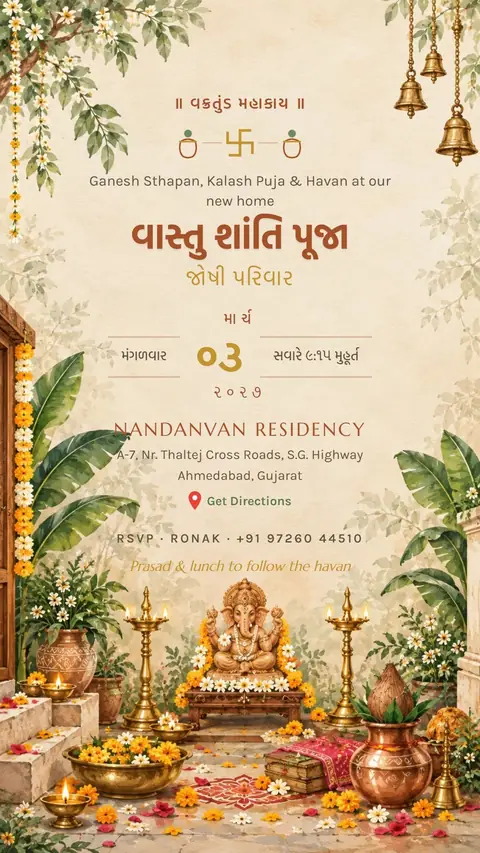 Ganesh Kalash Vastu Puja Invitation₹499inc. GST, was
₹998 Shubh Labh Kanku Pagla Invitation₹499inc. GST, was
₹998
Filed under Sharing & digital invitations
Written by ShubhLink Editorial Team
The team behind ShubhLink's invitation templates and ShubhLink AI. We write down what families ask us most, and check each guide before it goes live.